
Practical spreadsheets
Give your asset inventory or stock management a solid foundation
Download an XLSX workbook for assets or stock. Each workbook works on its own and explains which data the standard import accepts and which transfers need our help.
Choose your workbook
Two templates for different day-to-day needs
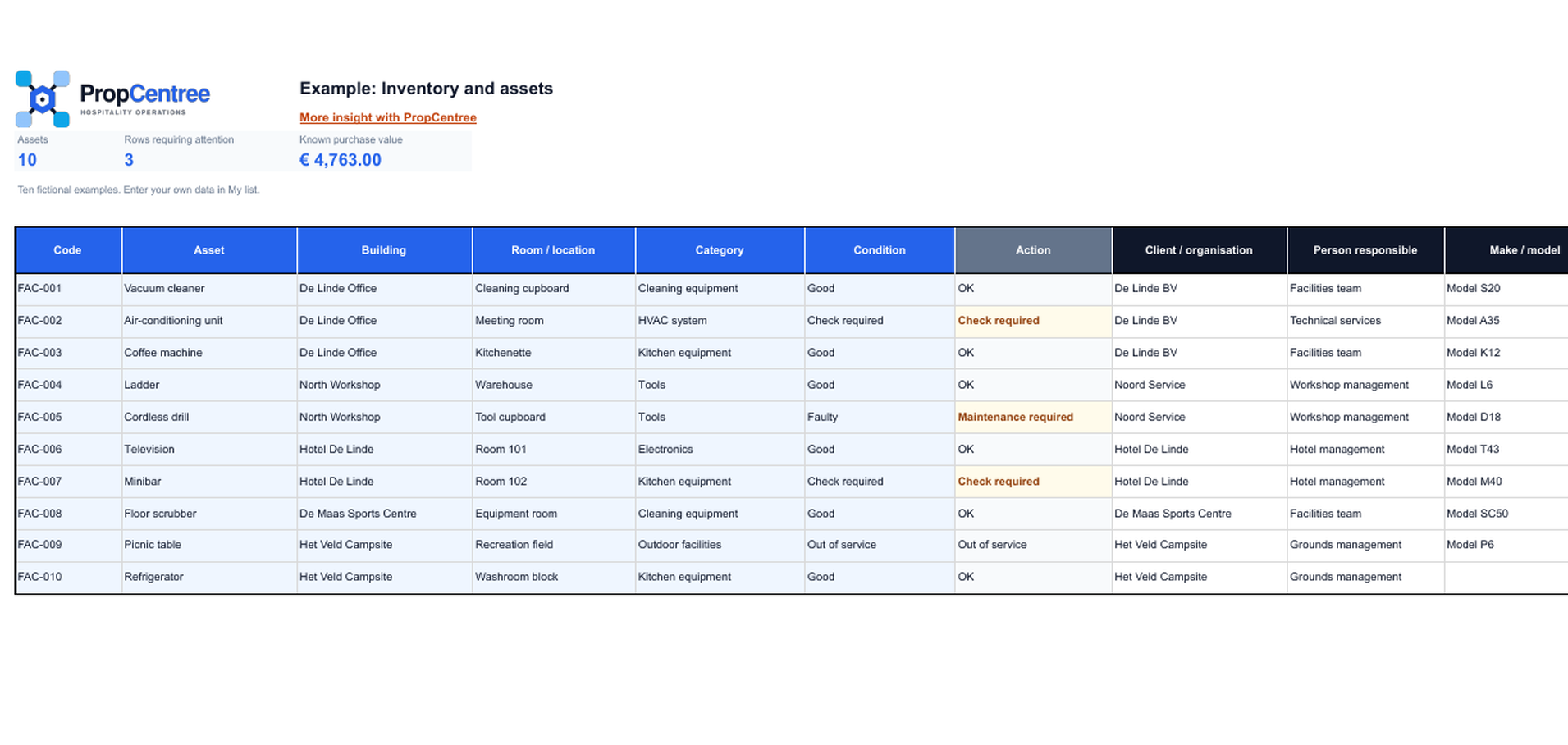
Inventory and assets
Record equipment, installations and other assets with purchase details, status and inspection dates. The summary totals the number and purchase value of assets by location.
View template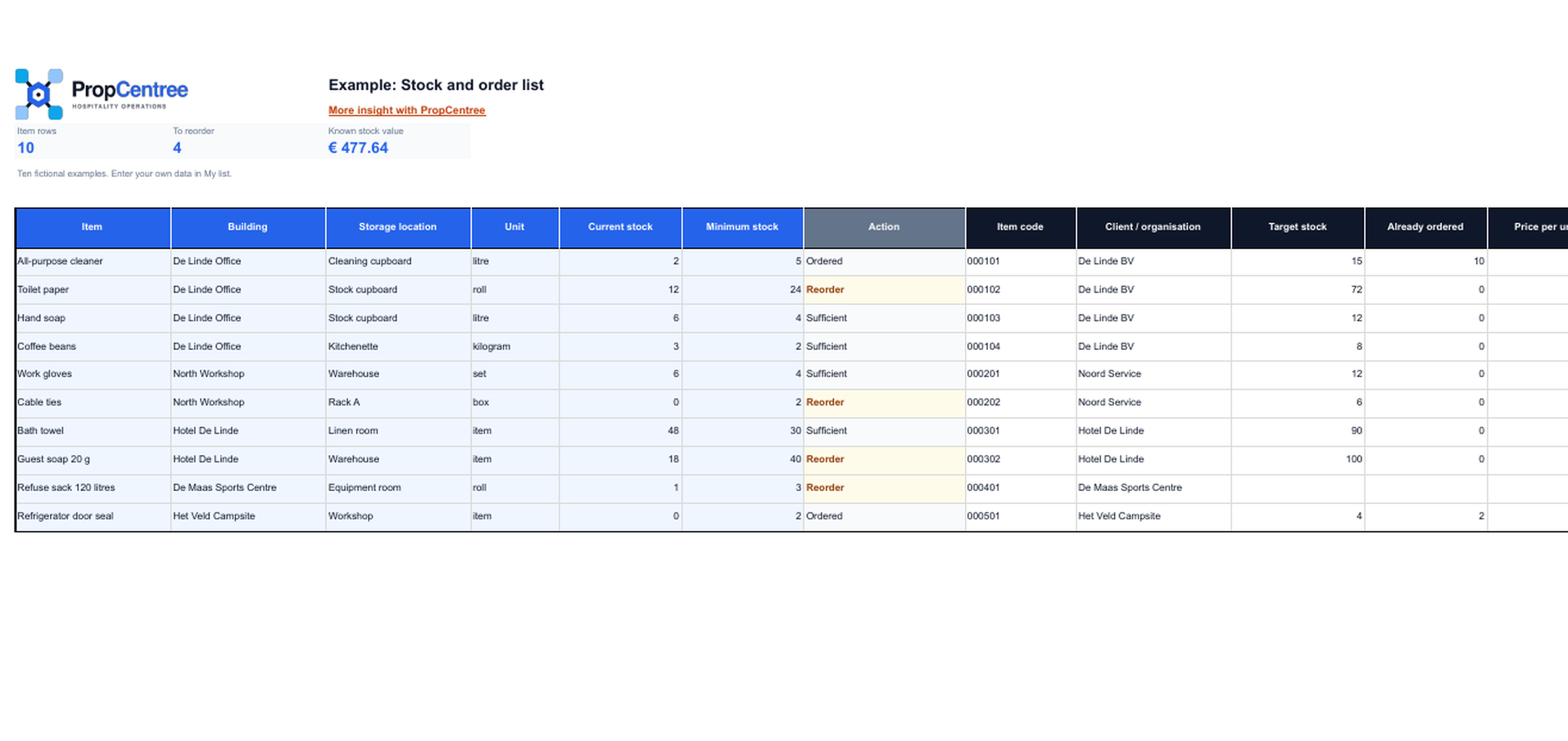
Stock management and reorder advice
Maintain one current quantity for each item and storage location. Minimum and target stock determine when replenishment is needed and the recommended order quantity.
View templateWhen a spreadsheet is still a good fit
A spreadsheet is suitable when one person manages the list, changes do not constantly overlap and the team agrees on consistent names and counting times. These templates provide a clear structure without macros or hidden automation. The templates are designed for hotels, holiday accommodation, restaurants and facilities teams. They include fictional examples, fixed input fields, checks and a separate sheet explaining how to transfer data to PropCentree.
Start with fictional examples
First review how the fields, alerts and summaries are organised. Enter your own data in the separate input sheet so that the example remains available for reference.
Use text-based alerts
An overdue inspection or low stock is not indicated by colour alone. The status also appears as text in the worksheet.
Keep daily work separate from data transfer
Not every practical spreadsheet field is part of the standard file import. The To PropCentree sheet shows what can be transferred directly and which data you add later in PropCentree.
When one file is no longer enough
Once several colleagues make changes at the same time, assets move or stock by location changes continuously, copies and uncertainty quickly arise. PropCentree then connects the current records with locations, roles and completed work. You can continue to use the spreadsheet as a controlled starting list.
Frequently asked questions
Clear answers before you start
Can I use the templates without PropCentree?
Yes. Both XLSX workbooks work without PropCentree. The PropCentree notes are for organisations that may want to transfer their data later.
Do the examples contain real customer data?
No. Names, item numbers and serial numbers are fictional. They should not be treated as actual organisation data.
How do I open the templates?
Choose Download XLSX on the relevant detail page. Open the file in Microsoft Excel or LibreOffice, or import it into Google Sheets. Save your own working copy before entering data.
Are all spreadsheet columns imported?
No. The templates also contain practical fields that are not available in the standard import. Each detail page and workbook lists the supported import fields separately.