
Free XLSX template
Map assets by accommodation and location
Record equipment, installations and other assets with purchase details, status and inspection dates. The summary totals the number and purchase value of assets by location.
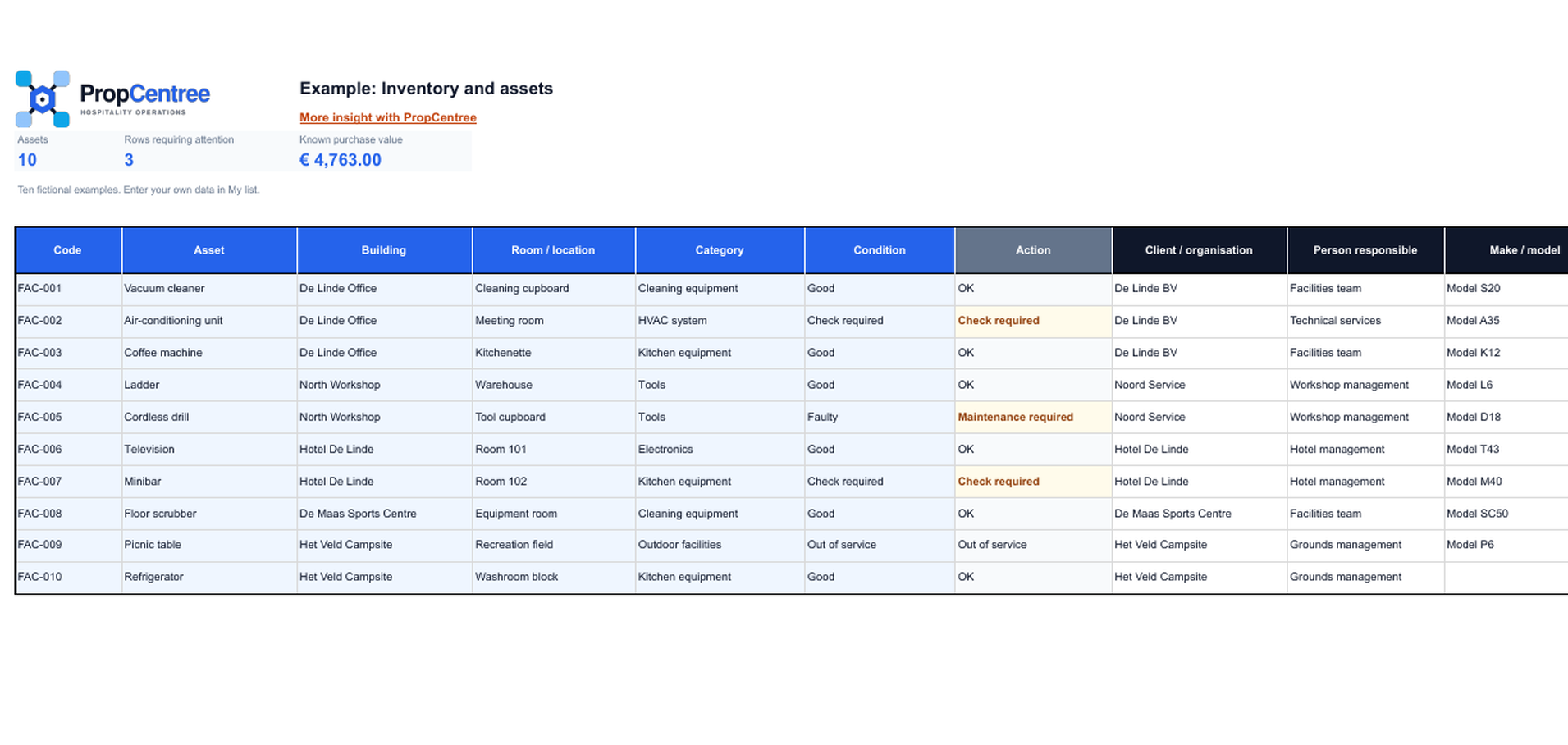
The download is an XLSX file. Save your own working copy before entering data.
What you record in the workbook
The list combines identification and location details with data that supports management and inspections. The template helps with an initial inventory or data clean-up. The input sheet has space for 300 assets. Filters, drop-down lists and text-based alerts make inconsistent wording and missed inspections easier to identify.
Identification and location
Use your own ID, name, accommodation, location, category, brand, model and serial number.
Purchase and responsibility
Record the purchase date, purchase value, status and a responsible role without needing personal data.
Inspections and meter readings
Upcoming inspection dates receive a text-based alert. Meter readings use only the units accepted by the current importer.
How to use the template
Review the fictional example, enter your own data on the Input sheet and then check the summary. Agree in advance who manages accommodation and location names. For import, export only the supported fields and check the column mapping in the importer preview.
Which data you can import directly
The standard file import accepts name, accommodation, serial number, brand, model number, optional location, purchase value, purchase date, meter reading, meter unit and notes. The accommodation must already exist in PropCentree; any room or space entered must belong to it. Add category, status, responsible role and inspection dates in PropCentree after the import.
Frequently asked questions
Clear answers before you start
Which date format does the import use?
Use yyyy-mm-dd, for example 2026-10-01. The importer may reject other formats.
Which meter units are allowed?
For meter readings, the import supports hours, cycles, km, kWh and m3. Leave the meter reading and unit blank if they do not apply.
Can I create a location during the import?
No. The accommodation must exist and the optional location must be found exactly within that accommodation. Create the locations beforehand or leave the field blank.
Can I import assets directly?
Yes. Export only the supported columns, select the correct worksheet, check the column mapping and start the import. Create the accommodation and any rooms or spaces beforehand.
What happens if a serial number is duplicated?
An existing serial number within the same organisation is updated. Without a serial number, every imported row creates a new asset.