
Free XLSX template
Track current stock and reorder advice by storage location
Maintain one current quantity for each item and storage location. Minimum and target stock determine when replenishment is needed and the recommended order quantity.
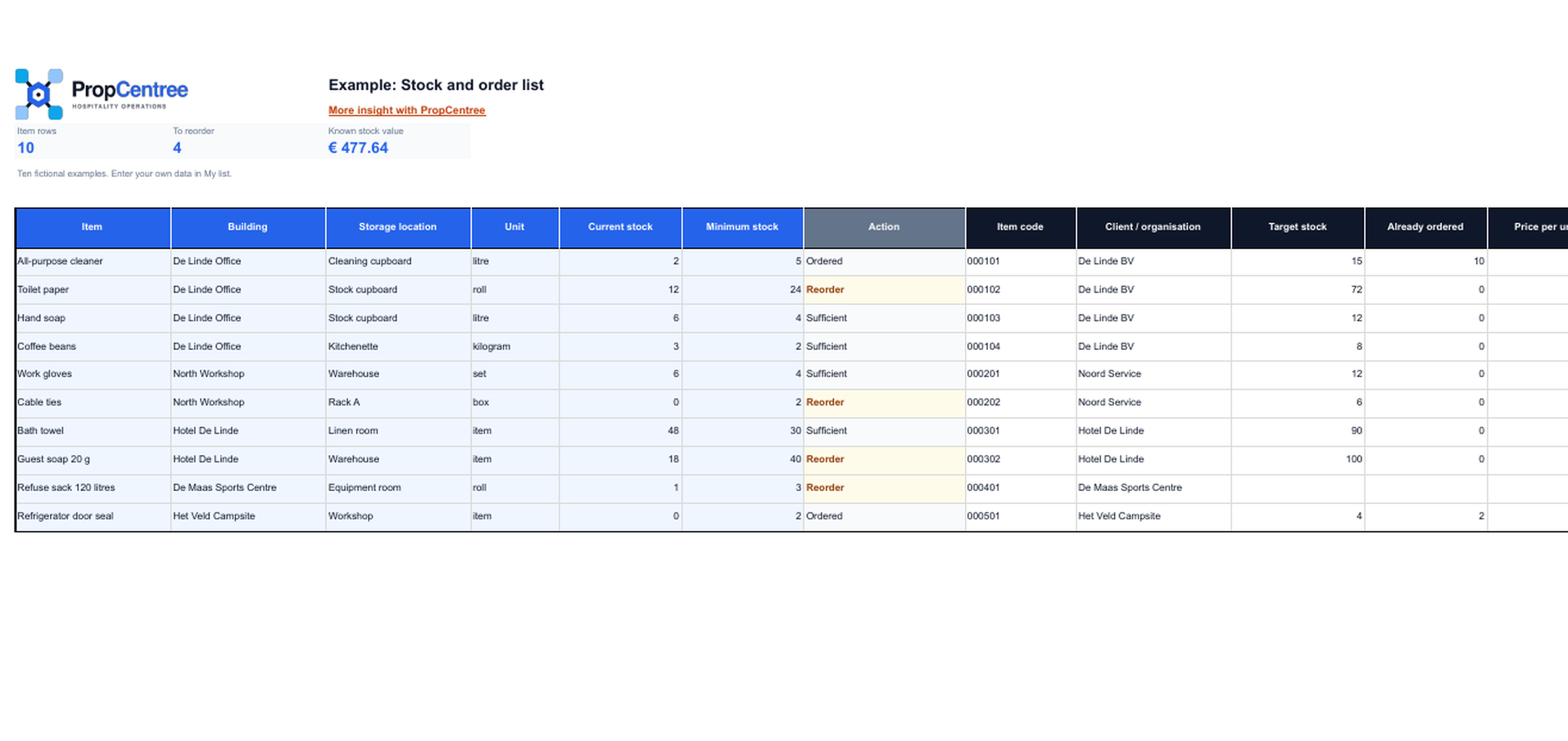
The download is an XLSX file. Save your own working copy before entering data.
What each stock row shows
Each row belongs to one item, accommodation and storage location, so the reorder advice remains traceable. This template deliberately uses periodic counting rather than a transaction log. This keeps the process practical for small hospitality teams that want to check quantities without recording every issue separately.
Item and packaging
Record the SKU, name, category, stock unit, purchasing unit, units per package and, if applicable, a barcode.
Count and reorder details
Enter the current, minimum and target stock. The order quantity is calculated only when stock falls below the minimum.
Value and check
The purchase price and current quantity determine the stock value. The status states On target, Reorder or Check.
A fixed counting time prevents false confidence
Agree who counts, when the count takes place and which storage locations it covers. Update only Current stock. Change minimum and target stock only when usage, lead time or storage space gives reason to do so. Keep SKUs as text so that a number such as 000101 retains its leading zeros.
How to transfer items and stock levels
Transfer stock items through the standard file import. Item name and stock unit are required; an existing SKU is updated. Quantities by storage location are outside that standard import. If you also want to transfer current levels, we arrange a separate assisted data transfer based on existing items, accommodation and storage locations. The supplied quantity becomes the new current level; PropCentree logs only the difference as a correction.
Frequently asked questions
Clear answers before you start
Is this a transaction log?
No. You update the current quantity after a count. Receipts and issues are not stored as separate rows in this file.
Which units does the item import accept?
piece, box, pack, roll, bag, tray, bottle, liter, ml, kg, gram and other. The workbook uses the same codes to avoid conversion during import.
Can I load stock levels through the standard import dialogue?
No. The standard import is for item data. Quantities by storage location require a separate assisted transfer.
What happens if I transfer the same stock level again?
The supplied quantity becomes the new current level. If it is the same as the existing level, no stock correction is added. Minimum and target stock are checked again.
How does the template prevent duplicate items?
Use one consistent SKU for each item. The standard import uses an existing SKU within the organisation to identify an update; a blank SKU creates a new item when imported again.